

Hotel restaurants
Software for hotel restaurants, bars and outlets: every outlet separate, one set of numbers
A hotel rarely runs one kitchen. It runs a restaurant, a bar, a breakfast room and sometimes a terrace, each with its own stock and team. This is how to keep them separate on the floor and together in the reports.
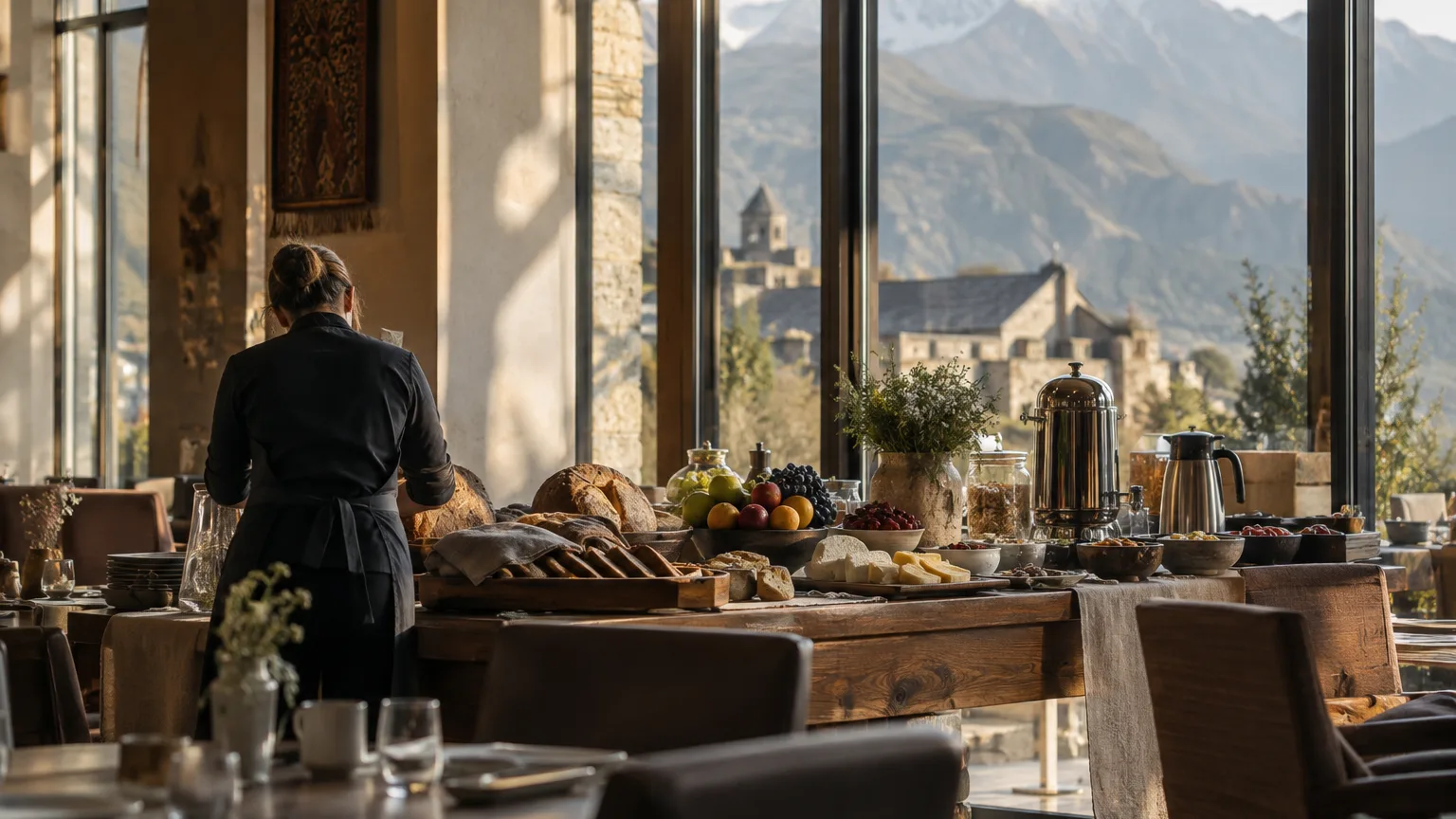
August in a Batumi hotel. Breakfast starts at seven for a hundred and forty guests. By noon the terrace is serving lunch and cold drinks, in the evening the restaurant runs à la carte, and the lobby bar stays open until the last guest goes up. Four services, four rhythms, often four different teams.
Each outlet works on its own terms, yet the food and beverage manager and the owner have to answer one question for all of them together: is food and beverage making money, and where? In many hotels that question is answered once a quarter, from spreadsheets that do not quite agree with each other.
This article describes how hotels in Georgia can run their restaurants, bars and other outlets in Wox: how to set up the structure, how to handle stock that moves between outlets, how to serve guests who read menus in different languages, and how to give a seasonal team the right access.
Why hotel food and beverage is hard to read
The first problem is comparability. When each outlet keeps its own records in its own way, there is no single view of cost and performance. The bar counts in bottles, the kitchen in kilograms, and breakfast is not counted at all because it is included in the room rate.
The second is movement. The bar borrows lemons and mint from the kitchen, the restaurant takes a case of wine from the bar store, breakfast uses butter from the main kitchen. When those movements are not recorded, product disappears from one set of numbers without appearing in another, and both outlets look worse or better than they are.
The third is people. Hotel teams change with the season, especially on the coast and in the mountains. Each new waiter, bartender and cook needs access to the right things on day one, and nothing else.
Setting up the structure: outlets as locations, or as storages
In Wox, an organisation holds one or more locations, and each location has its own stock, prices, menu, staff and reports. There are two sensible ways to map a hotel onto that, and the right one depends on how the outlets actually work.
If an outlet runs as its own business, with its own team, its own menu and prices and its own POS terminals, set it up as a separate location. A rooftop bar with a separate concept, or a restaurant that takes outside guests and is managed as its own profit centre, usually fits here. Each location's figures stay separate, and reports can be rolled up for the whole organisation.
If several outlets share one kitchen and one stores room, as breakfast and the main restaurant often do, it can be cleaner to keep them in one location with several storages: a main store, the kitchen, the bar, a minibar stock. Stock moved between storages in a location is recorded as a transfer, out of one storage and into the other, so nothing simply vanishes.
 Wox
Woxმარანი ჯგუფი
2 brands · 5 venues · all live
Today
₾ 19.5k
+8.2%
Food cost
29.5%
Labor
22.1%
Breakfast, the service nobody costs
Breakfast is the most common blind spot in hotel food and beverage. Guests do not pay per plate, so there are no sales lines to compare with, and its cost tends to hide inside the kitchen's total.
Giving breakfast its own storage or location changes that. Stock issued to breakfast is recorded as it moves, and regular inventory counts on that storage show what breakfast actually consumes. Divided by the number of guests, that becomes a cost per guest you can watch from week to week, instead of a guess.
A breakfast that costs more each week shows up as a number, not as a feeling at the end of the season.
Menus for guests from everywhere
A hotel restaurant in Tbilisi or Kazbegi might serve Georgian, Turkish, Israeli, German and Russian-speaking guests in one evening. Printed menus in several languages are expensive to reprint every time a price or a dish changes, and they are always slightly out of date.
The Wox QR menu is free on every plan, including Free. It reads from the same menu as the POS, so prices on the guest's phone match the bill, and an item marked unavailable drops off the page. The menu page itself can be shown in Georgian, English and Russian, with a language switcher for guests.
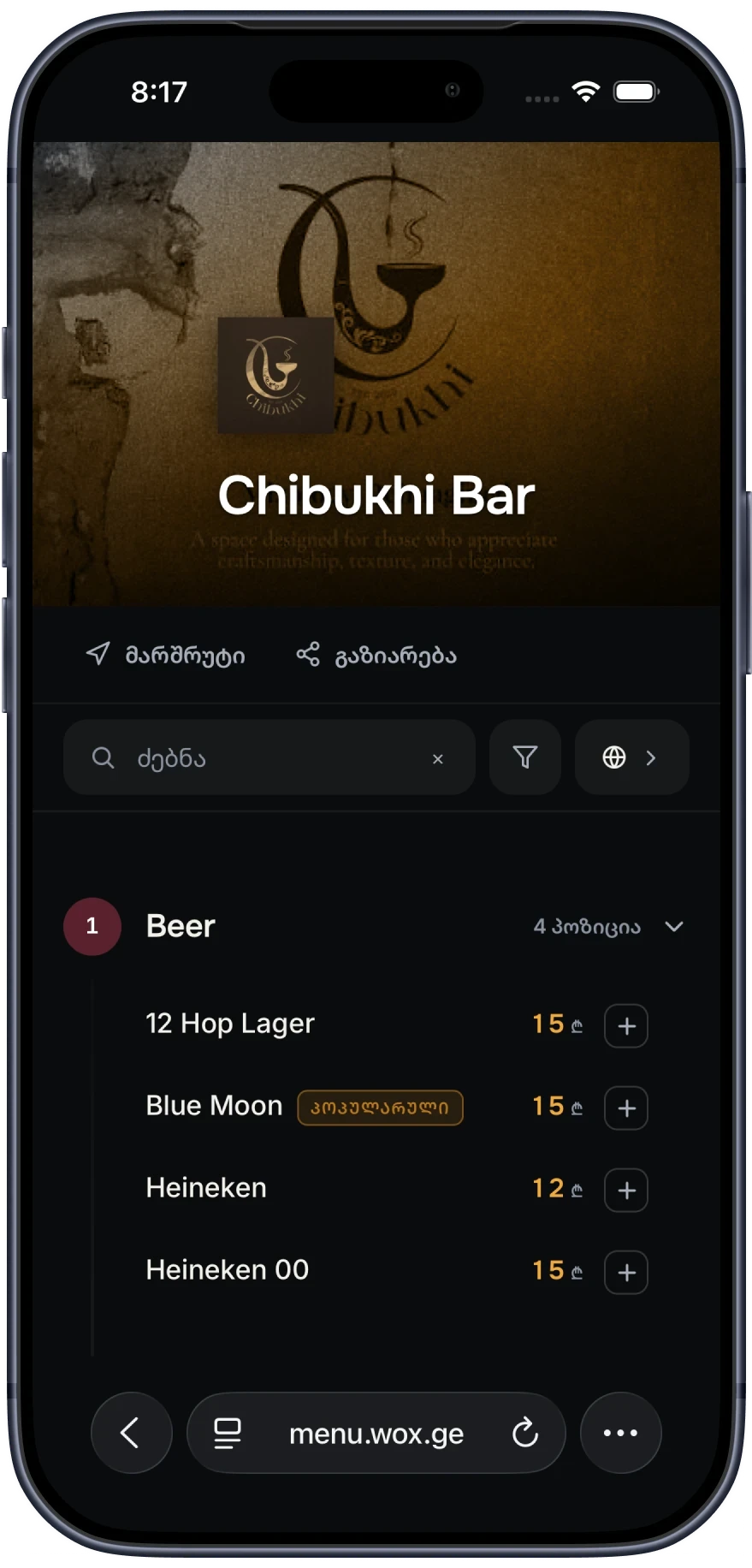
Dish names and descriptions appear as you enter them, so many hotels write them in two languages, for example Georgian with an English line underneath. A table card with the QR code can stand on every table in the restaurant, on the terrace and at the bar.
Access for a seasonal team
In Wox, every person has a role, and roles decide which modules and actions they can use. Staff are invited with a role, and access can be limited to the location they work in, so a summer bartender sees the bar and nothing about the restaurant's costs. On the POS, staff sign in with a personal PIN, which keeps every order and payment tied to a name.
Managers and owners, who see costs and reports for the whole property, can protect their accounts with multi-factor authentication: an authenticator app, SMS codes or a passkey. When the season ends and someone leaves, removing them ends their access. The guides on team roles and permissions and security and authentication go through the details, and the team page shows the people side of Wox.
Reporting for the property as a whole
For each outlet, Wox reports sales by day, by item, by hour and by server, cost of goods sold, waste, and the gap between actual and theoretical food cost. Reports can be read per location or rolled up for the whole organisation. Totals are added up across outlets and ratios are recalculated from those totals, so the property-wide figures are not just an average of the outlets' percentages.
For accounting and owners' meetings, data can be exported (see data export). And on paid plans, the F&B manager can ask Wox Analyst in Georgian or English how the terrace did yesterday compared with the same day last week, and get an answer from live data rather than from a report built by hand.
Suppliers and rs.ge
Hotels buy from many suppliers, and most of those deliveries come with an electronic waybill on rs.ge. Wox connects to rs.ge, imports twelve months of waybill history when you connect and syncs every night after that. It proposes suppliers and matches products to your items, and nothing posts to stock until someone has reviewed it.
Confirmed deliveries update stock and cost through normal receiving, so each outlet's food cost reflects what suppliers actually invoiced, in lari. See rs.ge integration for how the review works.
Where to begin
Start by drawing the outlets on paper: which ones have their own team and menu, which ones share a kitchen, where stock is physically kept. That sketch becomes your locations and storages. The multi-location setup guide walks through the rest, and a demo is the quickest way to see it with your own property in mind.
Questions people ask
Can each hotel outlet have its own stock and prices?
Yes. An outlet set up as a location has its own stock, prices, menu and team, under the same organisation as the hotel's other outlets. Reports can be read per outlet or for the whole property.
Can I move stock between the kitchen and the bar?
Yes. When the kitchen and bar are storages within one location, stock moved between them is recorded as a transfer, out of one storage and into the other, so both sides of the movement are kept.
Which languages does the QR menu support?
The QR menu page can be shown in Georgian, English and Russian, with a switcher for guests. Dish names and descriptions appear as you enter them, so many hotels write them in two languages.
Can seasonal staff be limited to one outlet?
Yes. Each person is invited with a role that decides which modules they can use, and access can be limited to the location they work in. Removing someone at the end of the season ends their access.
Is the QR menu really free for a hotel?
Yes. The QR menu is free on every Wox plan, including Free. Paid plans, which add more of the back-office tools, start at 99 GEL a month.
Step-by-step guides
Multi-Location Restaurant Management Setup
How to structure multi-location restaurant operations so inventory, purchasing, and food cost reporting stay aligned across every site.
Restaurant Team Roles and Permissions
How to set restaurant team access so daily work is fast while sensitive actions like food cost data and purchasing stay controlled.
Food Cost Reporting and Restaurant Analytics
How restaurant operators can calculate food cost percentage, track COGS, run actual vs theoretical reports, and use analytics to control food cost.
From the blog
10 Restaurant Numbers Owners Should Review Every Week
A simple scorecard for margin, labor, menu, and operating discipline
Restaurant Vendor Management: Building a Reliable Supply Chain
Independent restaurants typically work with three to seven vendors, ranging from broadline distributors to specialty suppliers to local farms. Managing these relationships—negotiating prices, tracking deliveries, resolving quality issues, comparing options—is one of the most time-consuming and consequential responsibilities in restaurant operations. A well-managed vendor network reduces cost, improves quality, and protects against supply disruptions. A poorly managed one leads to hidden overcharges, inconsistent quality, and operational disruption when a key supplier fails. This guide covers how to evaluate, manage, and optimize restaurant vendor relationships.
6 Ways to Keep Food Costs Steady All Year Long
How restaurants can handle seasonal swings, pricing pressure, and operational drift
Wox for other businesses
Hotel restaurants
See Wox with your own menu
Book a short demo and we will set it up around how your business actually runs, or start on the free plan today.