

Fast food and quick service
Quick-service restaurant software: a fast food POS and kitchen display built for the lunch rush
At the lunch peak, every second at the counter and every gram on the line is multiplied by hundreds of orders. This is how Wox keeps the queue moving and the food cost honest.
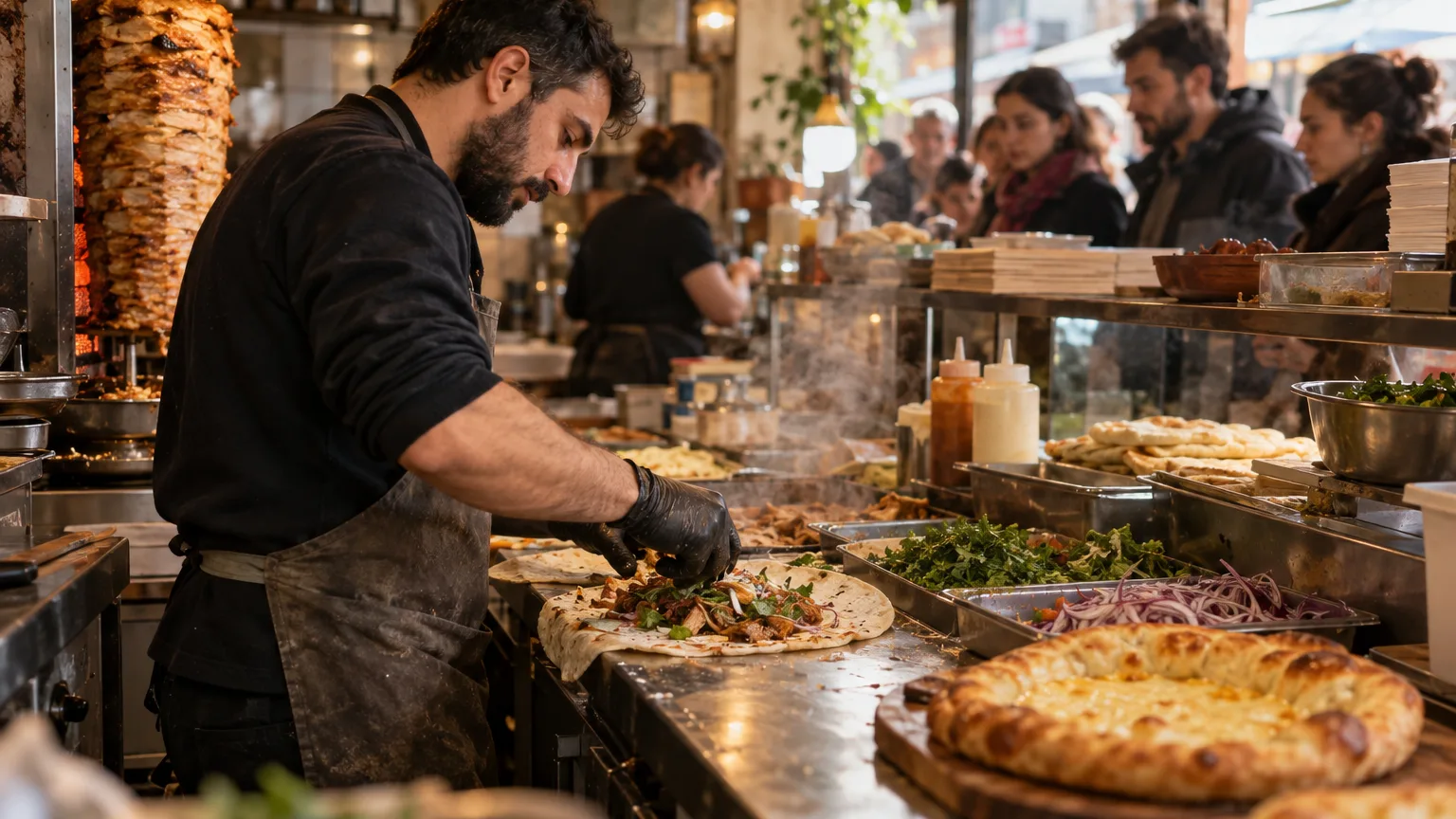
It is ten to one on a weekday in Vake. Office workers from the building across the street arrive in a wave, and in the next forty minutes a small shawarma and khachapuri counter will take more orders than it takes in the whole afternoon. Nothing about this is unusual. It is simply what quick service is.
Fast food is a volume business. The same twenty items are sold over and over, and a few seconds per order decide whether the line holds or walks out. That volume works in both directions. A well-organised counter turns the rush into the best hour of the day. A slow till, a kitchen that cannot see what is coming, or a missing ingredient turns it into lost orders.
The small errors work the same way. A few extra grams of meat or a sauce cup handed over for free means nothing on one order. Across three hundred orders it is the difference between a good month and a flat one. This article walks through how Wox runs a quick-service restaurant: the counter, the kitchen, the stock behind them, and the numbers that tell you whether the day actually made money.
The counter: speed first, and no stopping when the internet does
During the rush, the POS has one job: take the order and get it to the kitchen without making anyone wait. The Wox POS is built around the menu you actually sell, with categories and modifier groups set up once, so a cashier taps large, extra cheese, no onion instead of typing it into a note.
Connections in Georgia are generally good, until they are not. A router restart or a provider outage at one o'clock should not stop sales. The Wox POS works offline: it keeps taking orders and payments through the outage and syncs everything when the connection returns. The cashier keeps serving, and the records catch up afterwards.
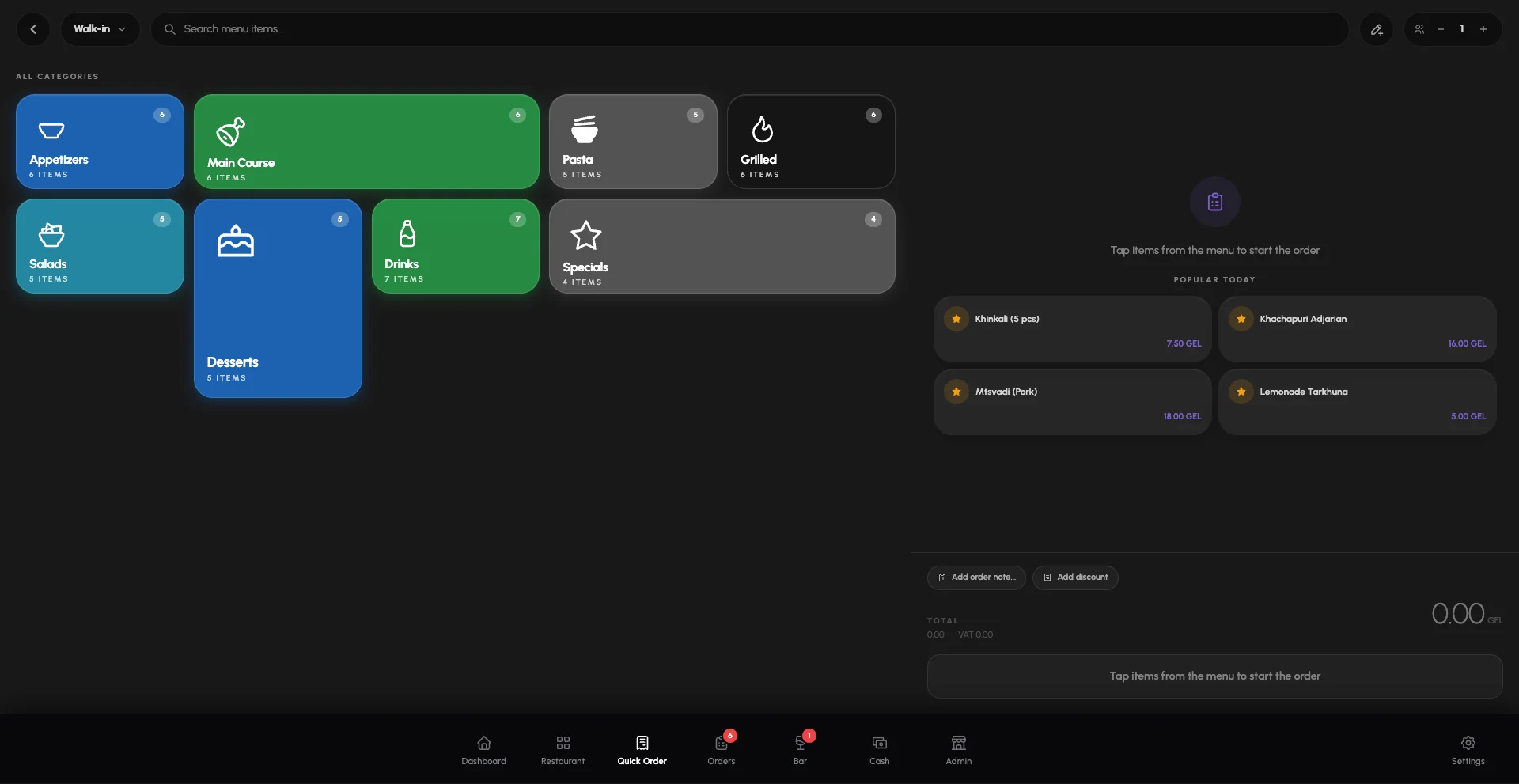
Takeout orders are marked as takeout the moment they are rung in. That small detail matters in the kitchen, which is where most lunch rushes are actually won or lost.
The kitchen: a clear queue instead of shouting
In a small kitchen at peak, the problem is rarely skill. It is information. Paper tickets get lost, spoken orders get misheard, and nobody can say which order has waited longest.
The Wox kitchen display replaces that with a queue on a screen. Each menu item has a default station, so the grill sees the meat, the fryer sees the fries and the drinks station sees the drinks, each with only its own lines. A mixed order is split between the stations rather than copied to every one of them.
Tickets carry timers, and each station can have its own cook time and alert thresholds, so an order that is running late becomes visible before the customer starts asking. Takeout orders are flagged as rush. A tap moves a line from preparing to ready, bumping a ticket clears it from the station, and a ticket bumped by mistake can be recalled.
The expo view shows the whole order together, along with all-day counts: how many of each item are on the board right now. At one o'clock, that single number tells the grill whether to start the next batch of chicken.
At peak, knowing that fourteen chicken wraps are in the queue is more useful than any single ticket.
Stock: knowing before the rush, not during it
Running out of lavash or a core sauce at half past twelve costs far more than the ingredient. It costs every order that now has to be refused or changed, and a few customers who will try somewhere else tomorrow.
In Wox, each menu item has a recipe linked to inventory ingredients, and every sale deducts those ingredients from stock automatically. The stock figure reflects what the counter actually sold, not what someone remembers. When an item falls low, a low-stock alert arrives as a notification in the web app and on the phone, ideally the evening before, when there is still time to reorder.
Par levels take this one step further. You set the quantity you want on hand for each key item, and Wox compares it with current stock every night. For a fast food place this is usually a short list: bread, meat, oil, potatoes, cheese and packaging. Getting those few right covers most of the risk.
Food cost: catching portion drift early
In quick service, margins are made or lost in grams. Say a wrap is specified with 120 grams of chicken and the line actually puts in 135. On one wrap nobody would notice. On 300 wraps a day, that is four and a half kilograms of chicken a day that the menu price never accounted for.
This is what the actual versus theoretical comparison in Wox reporting is for. Theoretical cost is what your recipes say you should have used, given what you sold. Actual cost is what you really used. The gap between the two is the part of food cost that recipes do not explain: over-portioning, waste, mistakes or theft.
A gap that stays small and stable is normal. A gap that grows week after week is a signal to watch the line, reweigh a few portions and check the waste log. The article on food cost variance causes goes through the usual suspects in more detail.
Suppliers and rs.ge, without retyping invoices
Most deliveries to a Georgian fast food restaurant arrive with an electronic waybill on rs.ge. Wox connects to rs.ge, imports twelve months of waybill history when you connect and then syncs every night. It proposes suppliers and matches products to your items, but nothing posts to stock until you have reviewed it.
Once a delivery is confirmed, it updates stock and cost through normal receiving, so food cost is based on what suppliers actually invoiced rather than on last month's price list. Prices and reports are in lari. More on this on the rs.ge integration page.
The menu customers read while they queue
Many quick-service customers decide while standing in line. The QR menu is free on every Wox plan, including Free, and reads from the same menu as the POS, so the prices on the phone match the till. When an item is marked unavailable, it drops off the QR menu. The page itself can be shown in Georgian, English and Russian.
From one counter to several
Quick-service brands in Georgia usually grow by repeating a format: a second point in Saburtalo, a third near a university, a counter in a mall food court. Wox handles that as multiple locations under one organisation, each with its own stock, staff and, where needed, its own prices. Sales and food cost can be read per location or rolled up for the whole business. The page on restaurant groups covers this in more depth.
A day with Wox, in short
- Morning: low-stock alerts and par levels show what needs topping up before lunch.
- Peak: the counter takes orders, offline if it has to, and each station works its own queue.
- Afternoon: rs.ge deliveries wait for review, and confirmed ones update stock and cost.
- Evening: sales, food cost and the actual versus theoretical gap are there to read, not to rebuild in a spreadsheet.
If you want to see this with your own menu, book a demo or look at pricing. Paid plans start at 99 GEL a month, and the QR menu stays free on every plan.
Questions people ask
Does the fast food POS work without internet?
Yes. The Wox POS works offline. It keeps taking orders and payments during an outage and syncs everything with the server when the connection returns.
Can the kitchen display separate the grill, fryer and drinks stations?
Yes. Each menu item has a default station, and every station sees only its own lines. The expo view shows the whole order together with all-day counts of what is on the board.
How does Wox catch portion drift?
The actual versus theoretical food cost report compares what you really used with what your recipes say you should have used for the dishes sold. A gap that keeps growing usually points to portioning or waste.
How do we avoid running out of ingredients at peak?
Every sale deducts its recipe ingredients from stock, low-stock alerts arrive as notifications, and par levels for key items are checked against current stock every night.
How much does Wox cost for a quick-service restaurant?
There is a Free plan, and paid plans start at 99 GEL a month. The QR menu is free on every plan. See the pricing page for what each plan includes.
Step-by-step guides
Restaurant Inventory Counting and Stock Management
Best practices for restaurant inventory management — storages, counts, low-stock control, and replenishment planning to reduce food cost.
Par Level Management and Reorder Points
How to set and maintain par levels so restaurant reordering is timely, consistent, and driven by actual usage to control food cost.
Low-Stock Alerts and Restaurant Notifications
How to configure low-stock alerts, order cutoff reminders, and notifications to stay ahead of restaurant inventory and purchasing needs.
From the blog
What Is a Good Food Cost Percentage for Pizza Restaurants?
Why pizza has some of the best margins in the industry and how to keep them that way
5 Scheduling Moves That Help You Stay Fully Staffed Without Overspending
How better scheduling protects service, morale, and labor cost at the same time
Food Cost Variance: A Worked Example and How to Find the Cause
A worked food cost variance example, the six causes behind most gaps between actual and theoretical food cost, and the week-long tests that tell you which one is costing you money.
Wox for other businesses
Fast food and quick service
See Wox with your own menu
Book a short demo and we will set it up around how your business actually runs, or start on the free plan today.